
Passkey Login Module for Perfex CRM
0 Sales- Update Date
28 Sep, 2025
- Release Date
06 Aug, 2025
- Current Version
2.0.0
- Frameworks
CodeIgniter
- Compatible Browsers
IE 11, Firefox, Safari, Opera, Chrome, Edge
- Files Included
JavaScript JS, JavaScript JSON, HTML, CSS, PHP
- Software Versions
PHP 8.x, PHP 7.x
CodeCanyon
Discounted Item
Secure Payments

Overview
The Passkey Login Module for Perfex CRM brings biometric login support to your CRM system, allowing users to log in securely using passkey technologies like fingerprint, facial recognition, or PIN—without the need for a password.
Designed as a plug-and-play add-on, it integrates seamlessly with Perfex CRM’s existing login flow and interface, requiring no core file modifications. The module provides a modern authentication experience while enhancing account security.
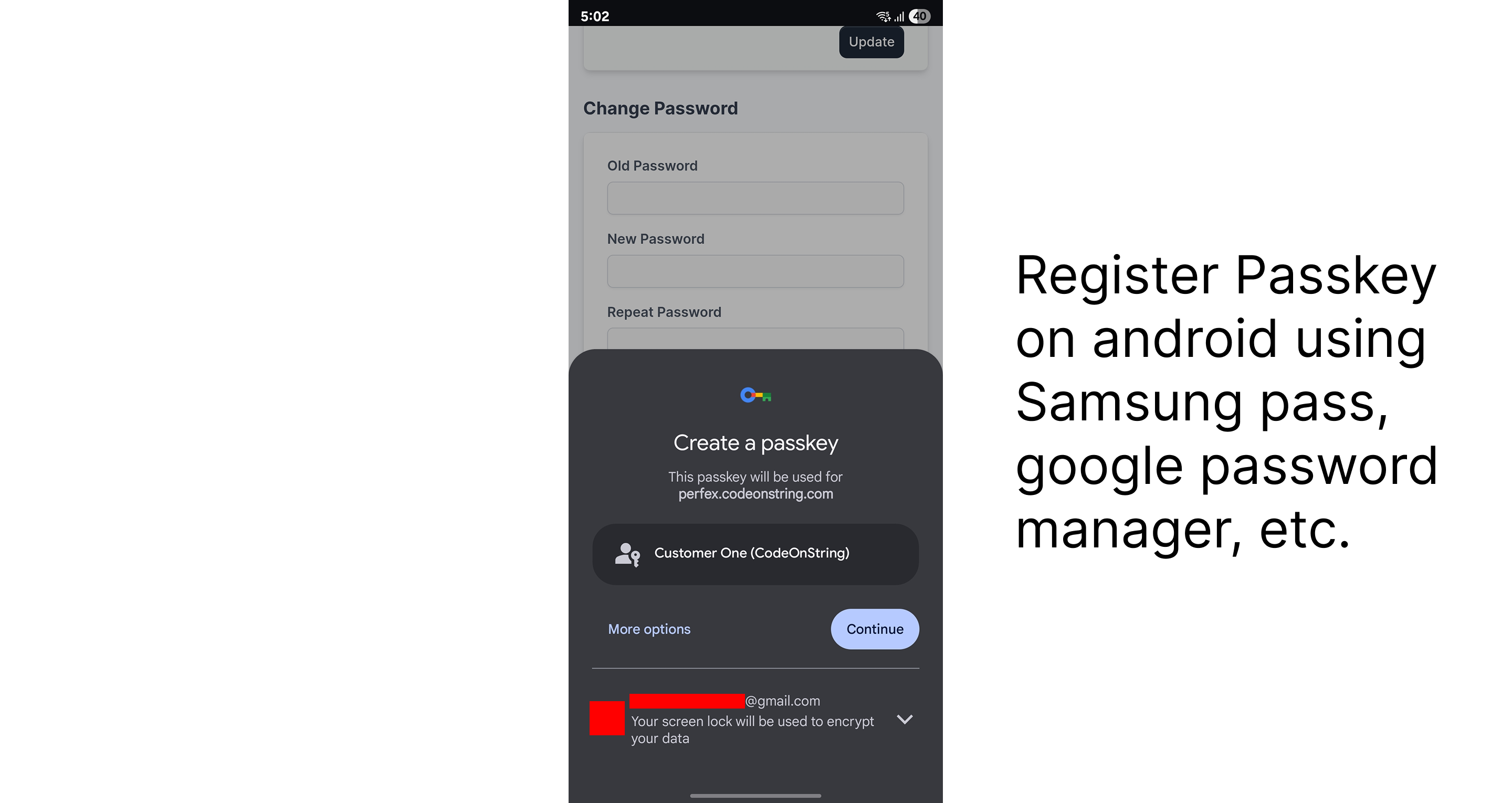
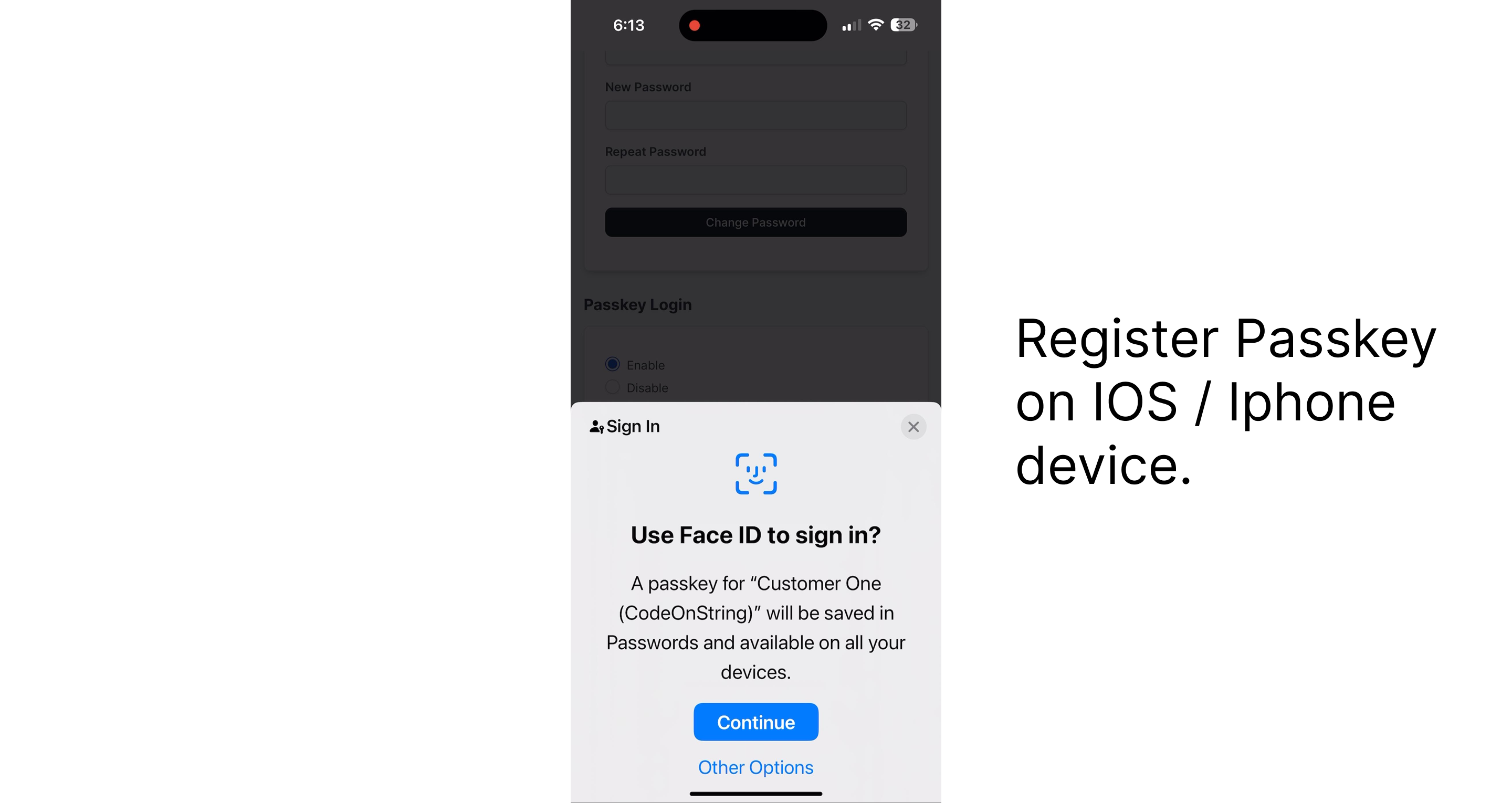
After the initial login using email and password, staff or customers can register passkey credential. Once enabled, they can log in using a single tap or glance, boosting both convenience and security.
Demo
Admin Login: https://perfex.codeonstring.com/eur/admin
Email: admin@example.com
Password: 123456789
Staff Login: https://perfex.codeonstring.com/eur/admin
Email: staff@example.com
Password: 123456789
Customer Login: https://perfex.codeonstring.com/eur/login
Email: customerone@example.com
Password: 123456789
How it works:
- Users log in to their account using their regular email and password.
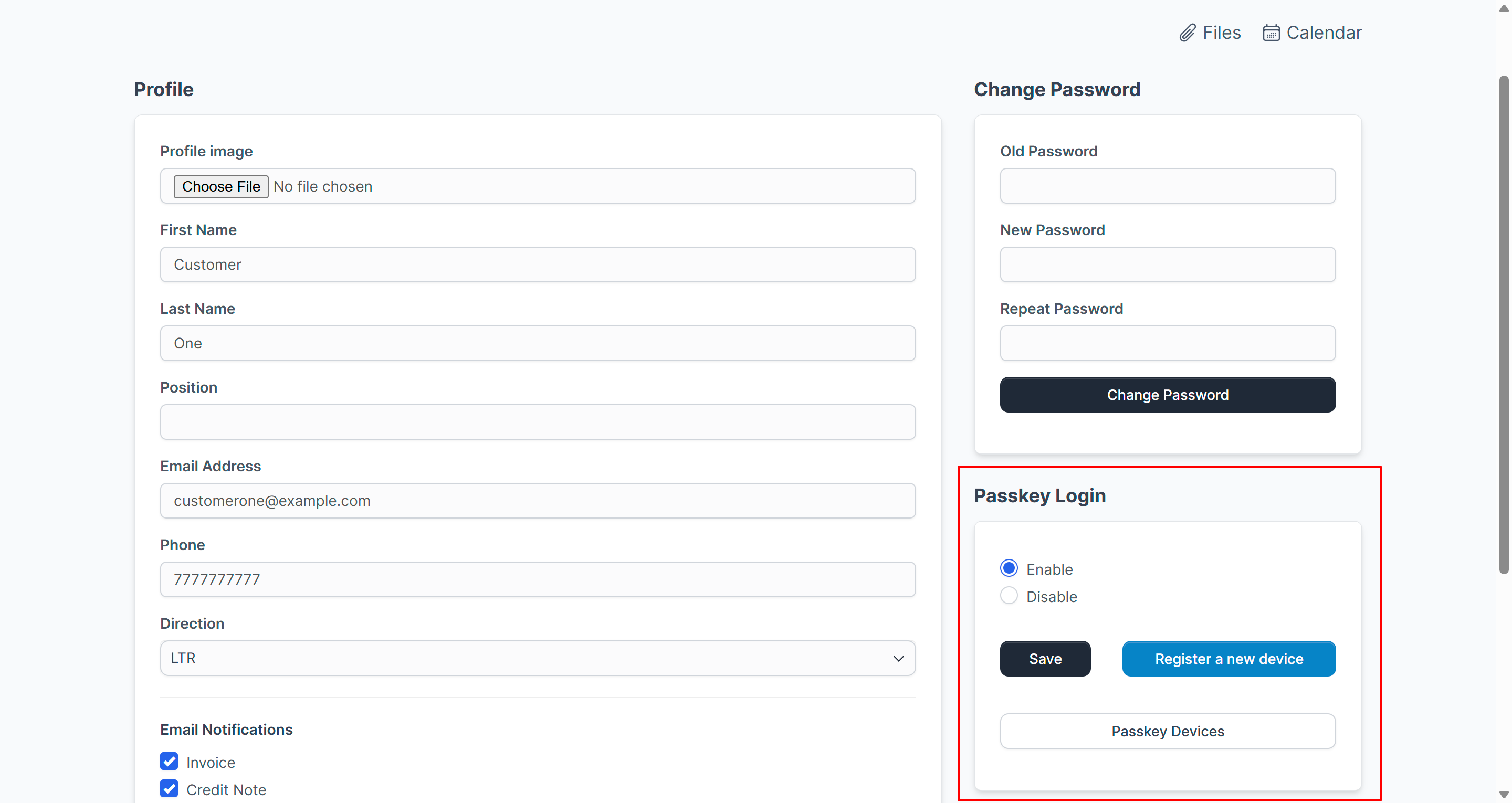
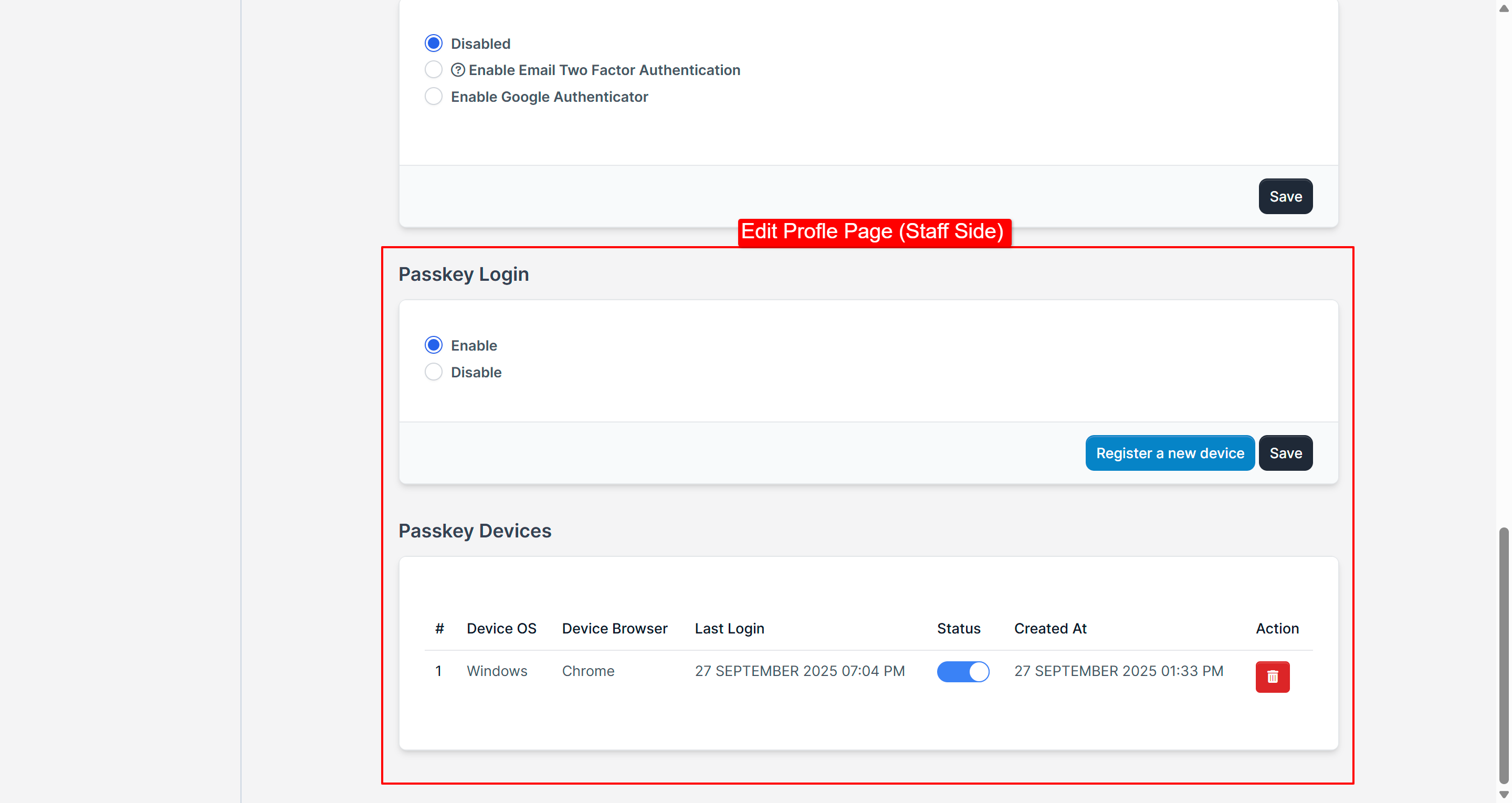
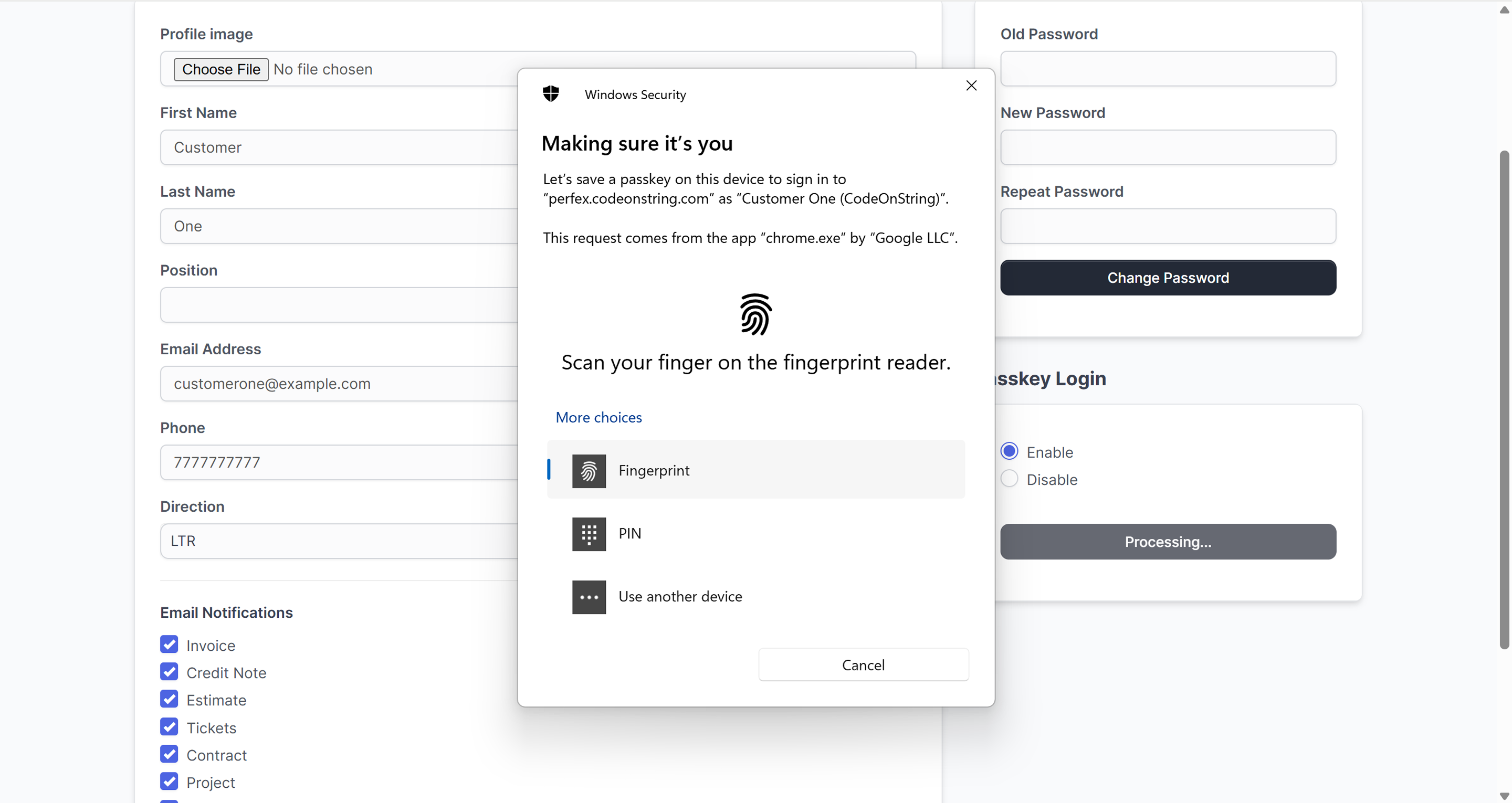
- Once logged in, they can register their device using Passkey (Face, Fingerprint, or PIN) on profile page.
- Registered credentials are securely stored and linked to the user account.
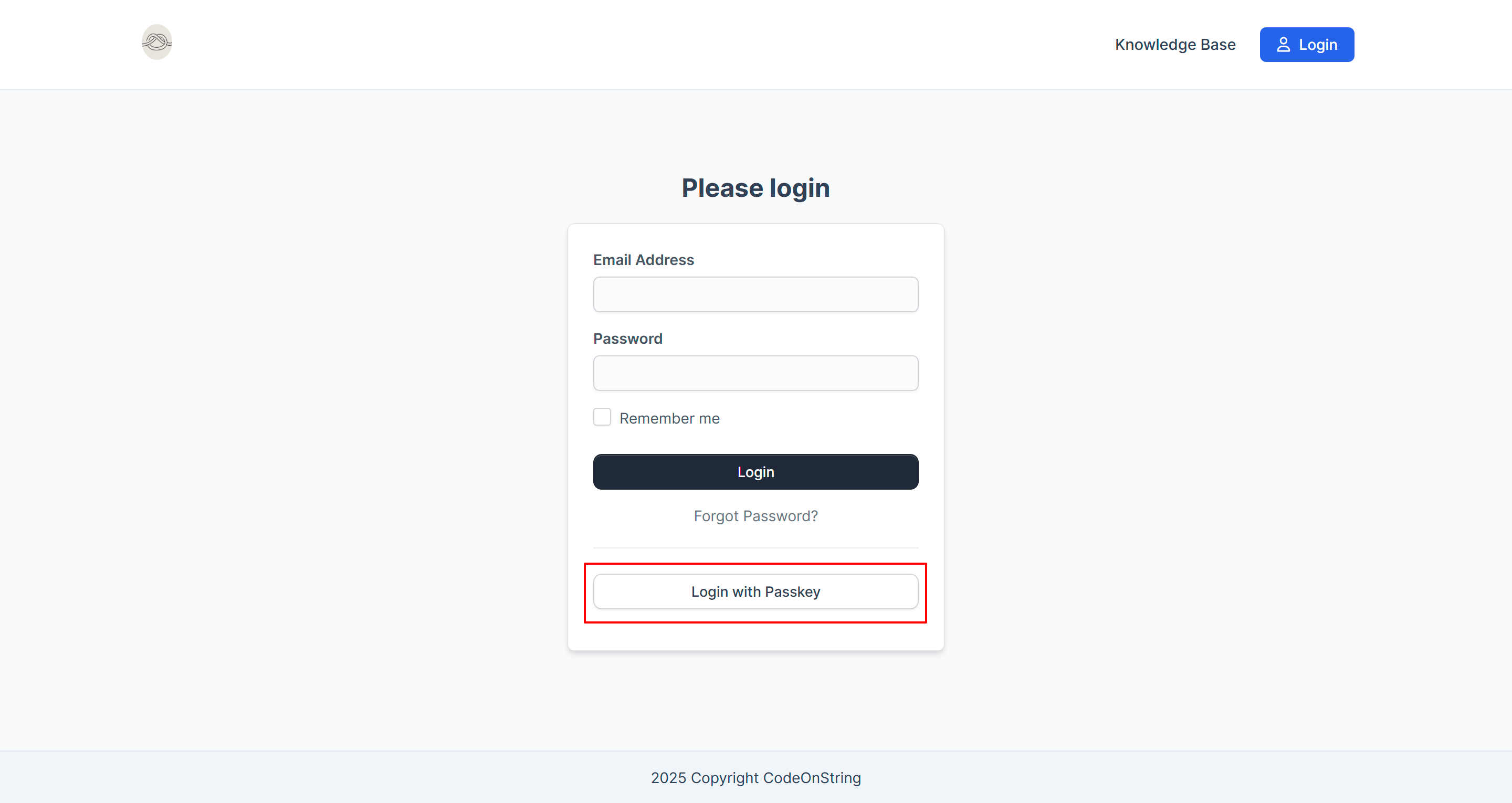
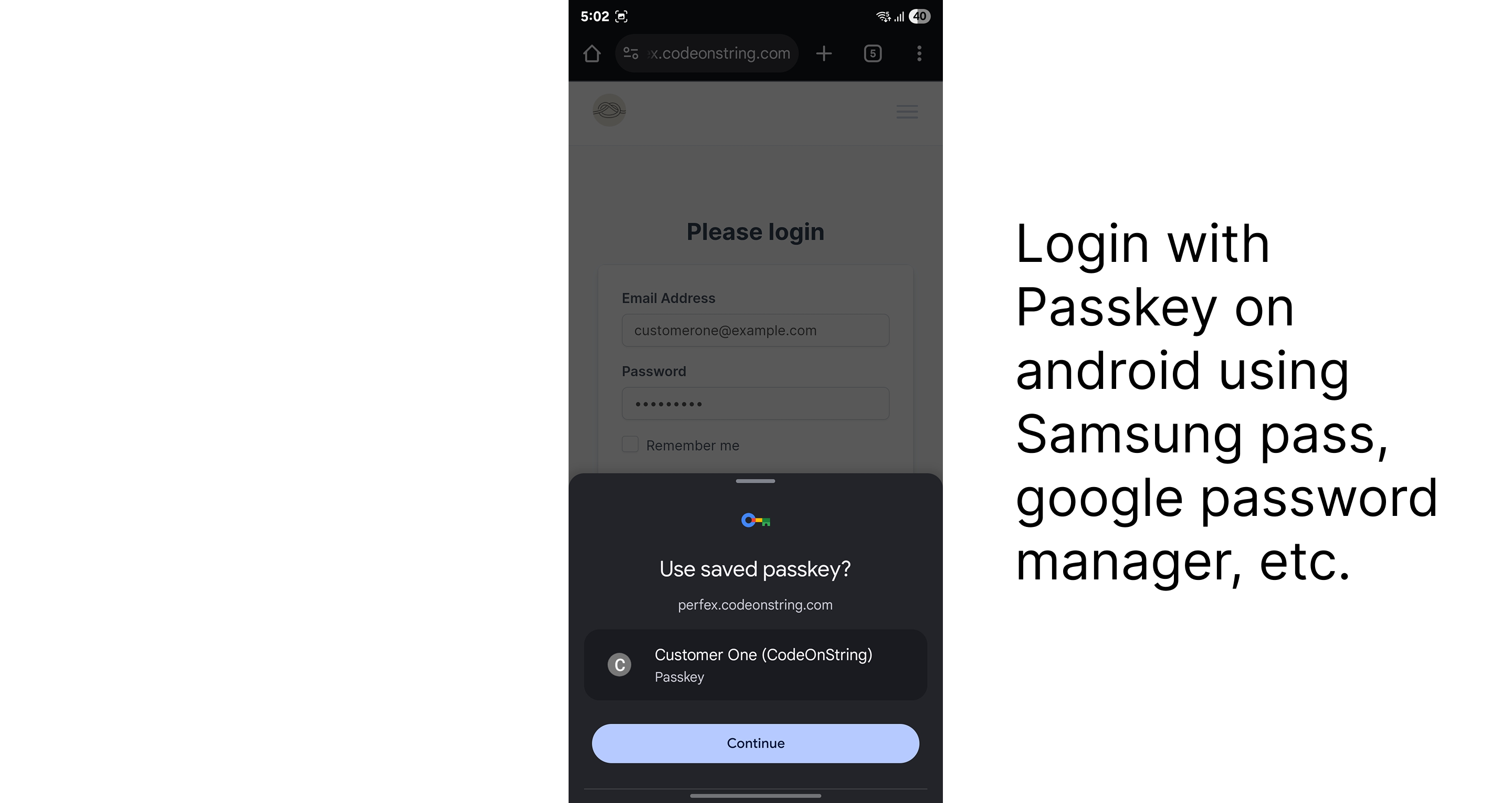
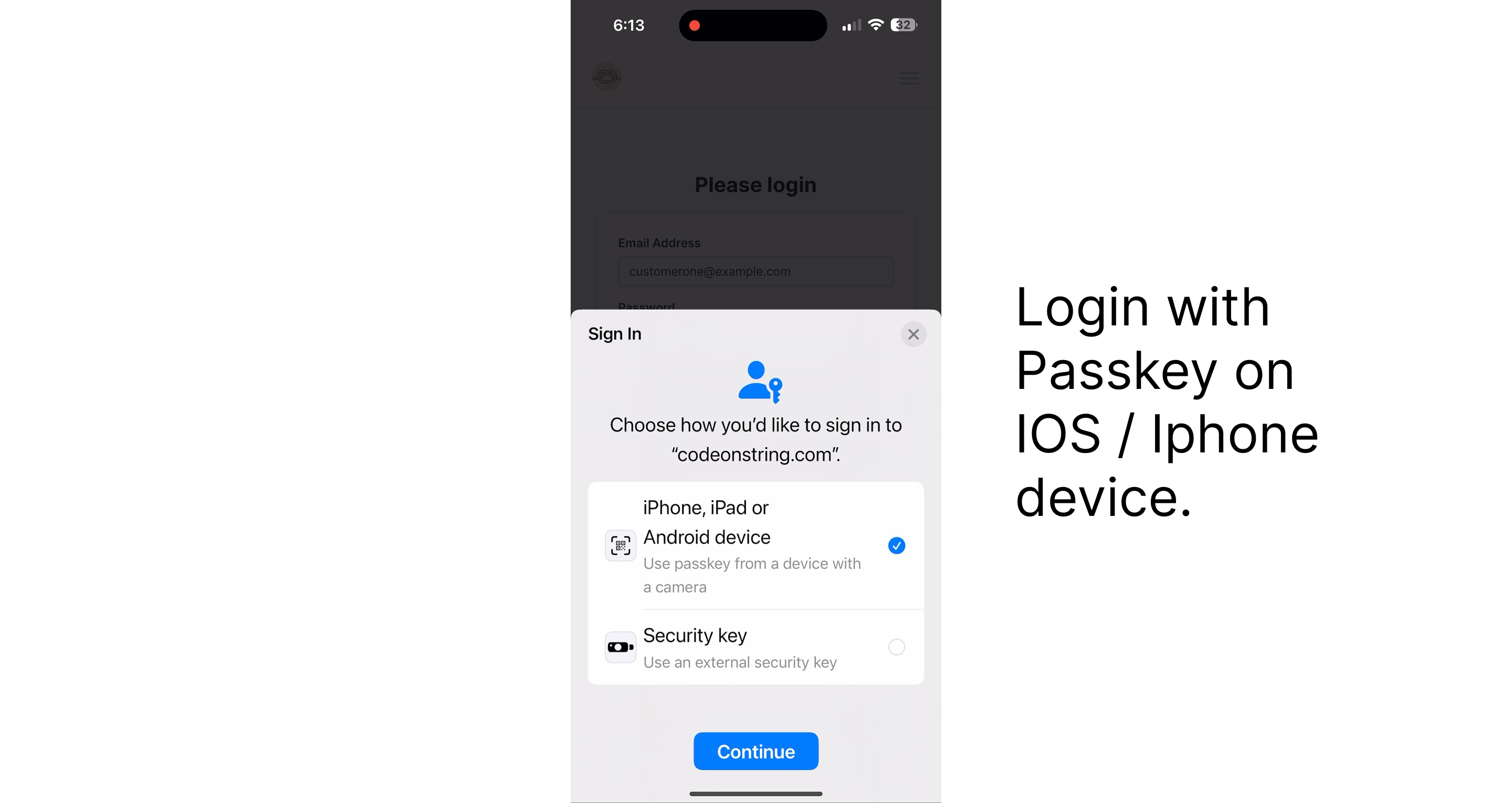
- After registration, users will see the option Login with Passkey on the login page.
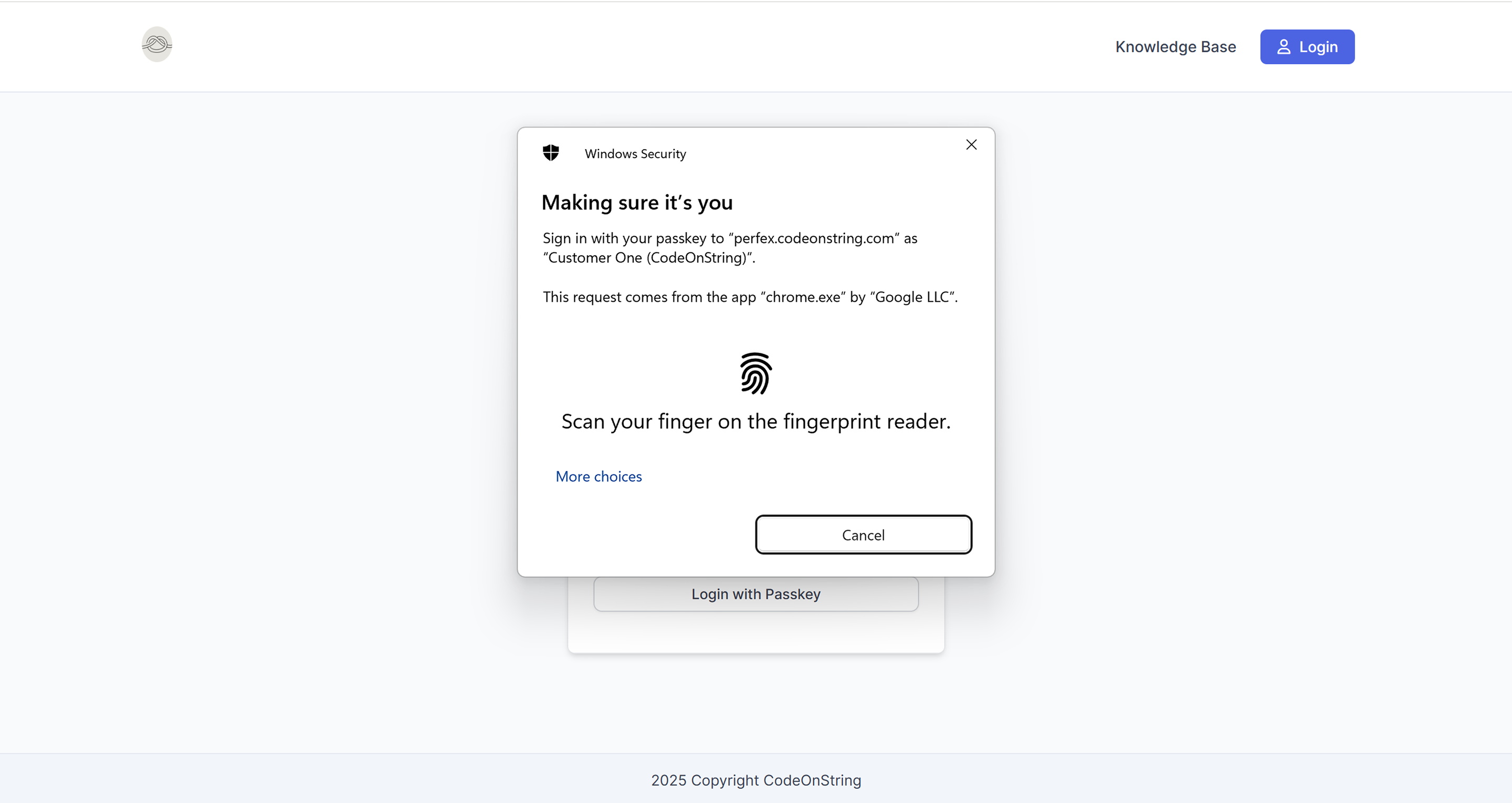
- On supported devices and browsers, users can log in instantly using Face ID, Fingerprint, or PIN without typing a password.
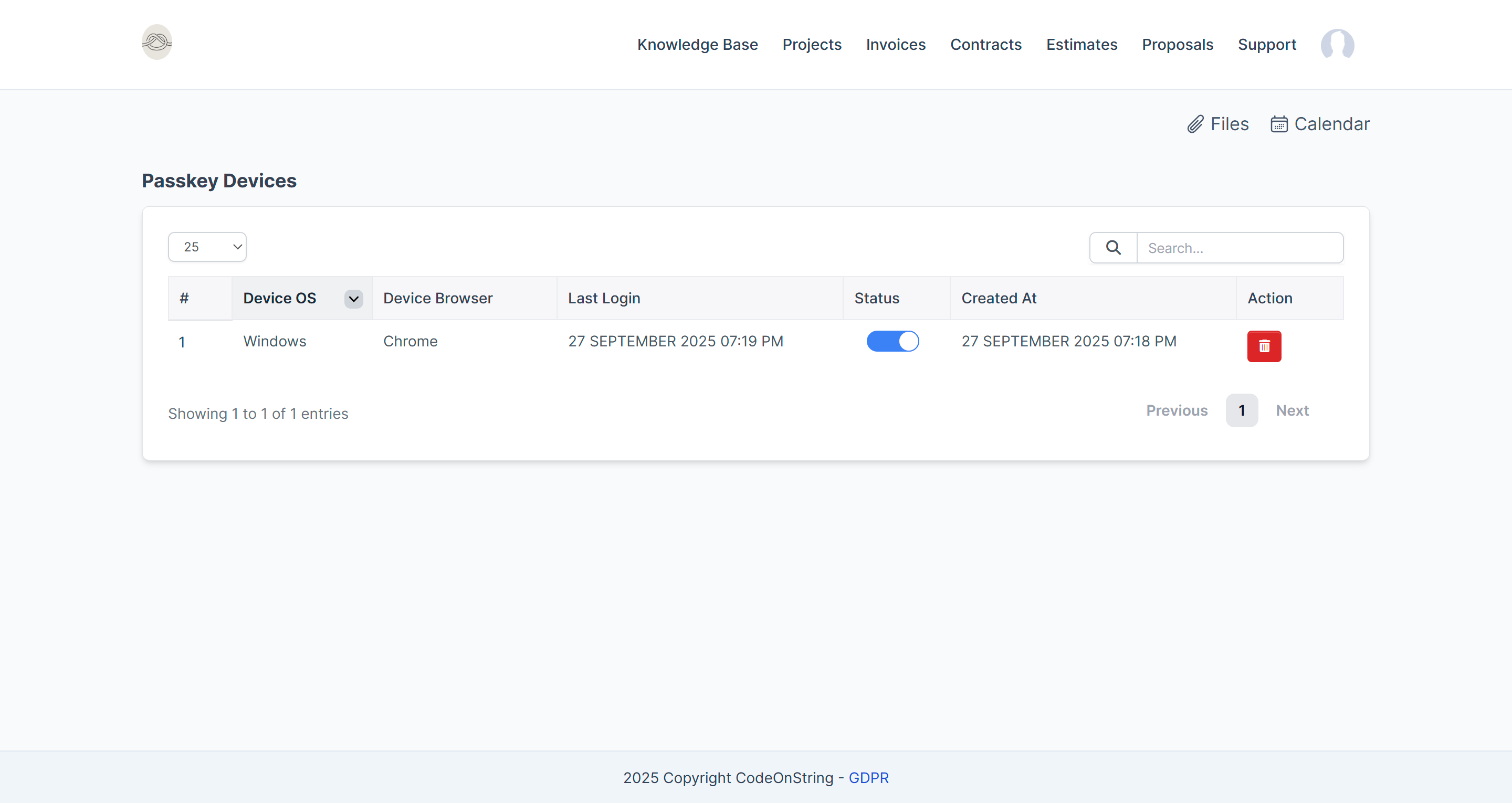
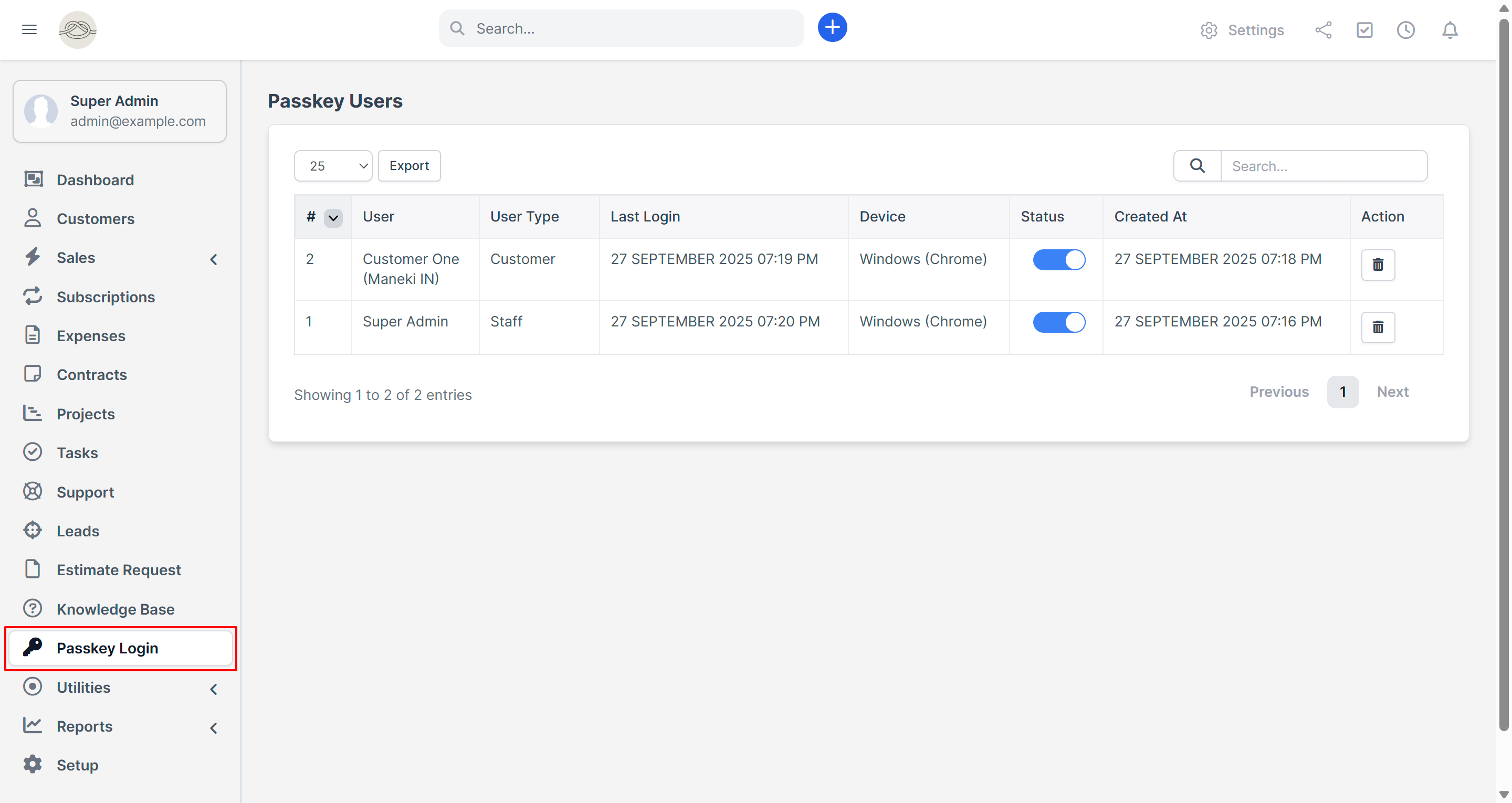
- Supports Multiple Device Registration.
- Users can enable/disable/delete individual devices.
- This method provides fast, secure, and passwordless login, improving both user experience and account protection.
Features
- Seamless integration with Perfex CRM (v3.1.0 and above)
- Enables passwordless login using passkey (Face, Fingerprint, or PIN)
- Clean and minimal UI matching Perfex CRM’s native design
- Credential registration available after user login for added security
- No biometric, PIN, or password data is stored on the server
- Enable, disable or delete passkey with a single click
- Quick installation and setup – no coding knowledge required
- No core file modifications – fully modular and update-safe
What's Included
- Passkey Login Module
- Documentation
- Free lifetime updates
- Module support
Requirements
- Perfex CRM version 3.1.0 or higher
Frequently Asked Questions
No. Biometric data never leaves the user’s device. The module only stores the public credential key used for verification.
Yes. Users can continue using traditional email/password login.
No. This module works out of the box and does not require any external API keys or credentials.
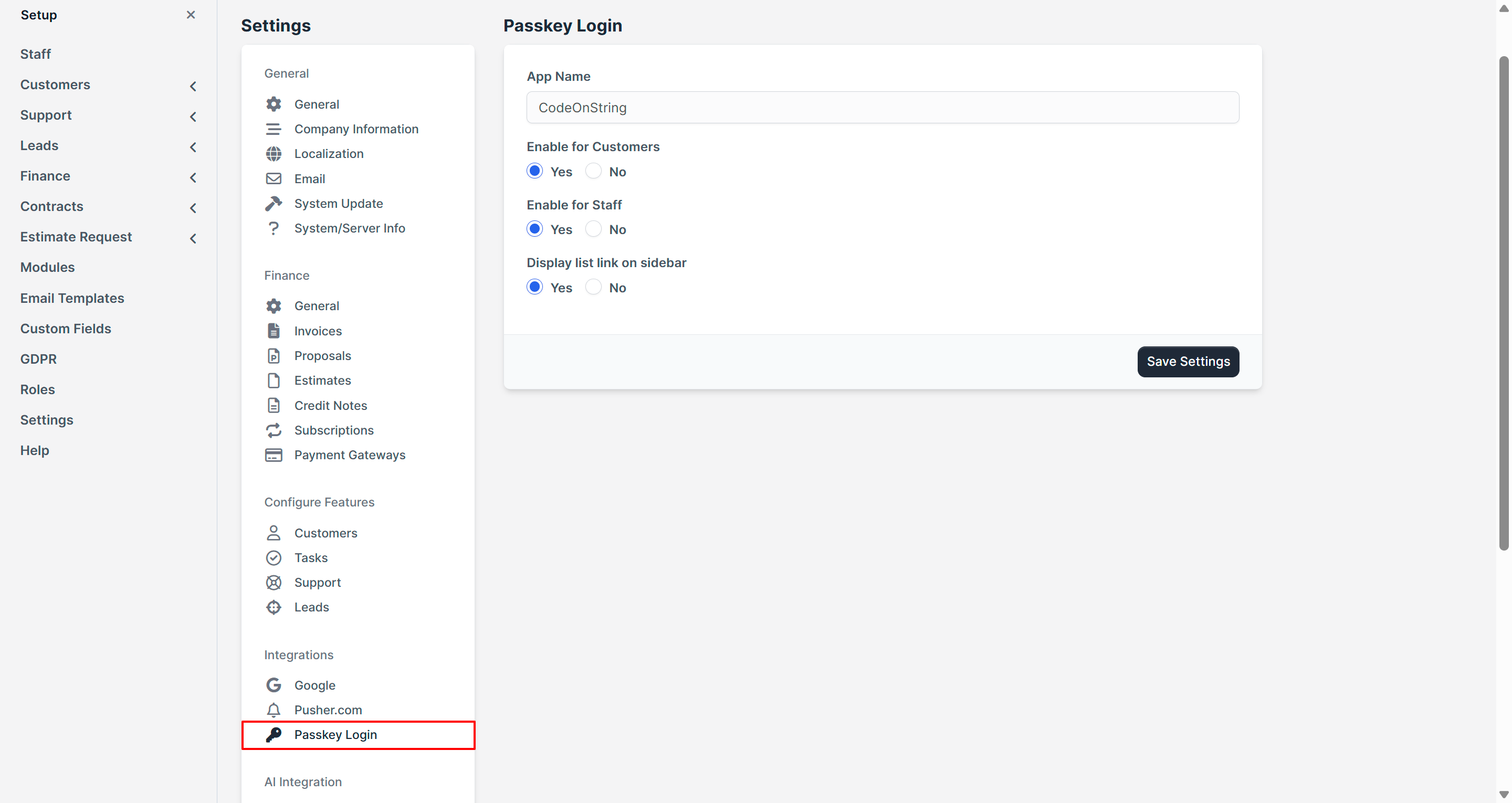
Yes. Can be enabled for both the staff and customer login portals.
Users can always fall back to the standard email and password login if biometric authentication is unavailable.
Passkey Login works on any device that supports the WebAuthn/Passkey standard. This includes Windows devices with Passkey Login (PIN, fingerprint, or facial recognition), Apple devices with Touch ID or Face ID, Android devices with built-in biometrics. In short, if your device supports passkeys, it’s supported by Passkey Login.
Passkey Login works with all modern browsers that support the WebAuthn/Passkey standard, including Google Chrome, Microsoft Edge, Mozilla Firefox, and Safari on both desktop and mobile. Since passkey support is built into the latest versions of these browsers, your users can log in seamlessly without needing any plugins or extensions.
No. This module is fully plug-and-play. You just need to upload, activate, and configure it via the admin panel.
No. This module is self-contained and does not require any core file modifications.
Yes. This module works with all Perfex CRM versions starting from 3.1.0 and above.
Uninstalling the module will remove its functionality, but no core CRM data will be affected.
The module is translation-ready and comes with an English language file by default. You can easily add other languages by copying and translating the provided language file.
Yes. All future updates are included and will be available via your CodeCanyon account under downloads.
Yes, a full installation and configuration guide is included in the download bundle.
Documentation
For detailed instructions on installation and configuration, please refer to the online documentation at: https://perfex.codeonstring.com/eur/passkey-login-documentation/
Support
Comprehensive documentation is included. For further assistance, feel free to reach out to us at codeonstring@gmail.com
Change Log
Version 2.0.0
    - New Feature : Supports Multiple Device Registration
    - Bug Fixing
    - Better Error Handling
    - Cleaner and More Smooth Flow
    - Module Repackage

Version 1.0.0
    - Initial Release
Have something in mind?